Enterprise‑level organizations should enforce top‑of‑the‑line website security. Following the right WordPress security practices will help keep your customer data secure and protect your WordPress website from attacks. Failing to follow best practices, on the other hand, can have a long‑lasting impact on your business’ reputation.
Proper WordPress site security involves a lot of different tasks. These range from enforcing the use of strong credentials to monitoring user activity and conducting regular audits. At the enterprise level, it’s vital to leave no stone unturned.
In this article, we’ll discuss the risks associated with poor security practices. Then, we’ll go over WordPress security basics, as well as some advanced measures you can take.
What are the risks associated with poor security practices?
Every WordPress site is vulnerable to breaches if its operators have poor security practices. The larger your business, the more dangerous those risks become. In this section, we’ll introduce some of the most common issues and explain how they can impact your organization.
Data breaches
There are news stories about data breaches almost every day. While every online business can fall prey to these breaches, if you run an enterprise‑level organization, this type of event will likely generate attention.
This can translate to a significant loss of trust from your customers, as well as steep financial losses in terms of future business, falling stock prices, and even fines. Depending on which jurisdictions you operate in, your business can be liable for failing to protect against (or not disclosing) data breaches.
Damage to your reputation
The damage that a data breach or loss of intellectual property can have on your reputation is significant. Simply put, customers tend to distrust organizations that have been known to lose privileged information. Even non‑tech‑savvy customers are likely to hear or read about data breaches, and that can impact the way they see your business (especially if their data is involved).
On top of hurting your reputation among customers, poor security practices can also affect how other businesses and investors see you. Any hit to your business’ reputation tends to have an impact on stock prices and future investment opportunities.
Fixing security issues can be costly, but repairing a business’ reputation is often the biggest expense. Once customers get the impression that your organization doesn’t follow proper security practices, it can be hard to repair that damage.
Business disruption and financial loss
Any type of security breach at your organization can have a significant financial impact, both directly and indirectly. Indirect financial losses come from customers who decide to move their business elsewhere, and the reputational hit your organization suffers as a result.
Depending on the type of data breach, you might also be on the hook for fines from regulators. There are various regulations, like the CCPA and GDPR, that govern how organizations should handle and protect customer data. Failing to comply with these regulations by not implementing proper data security can translate to significant fines.
To put this into perspective, Instagram was issued a €405 million fine in 2022 for improper handling of children’s privacy online. In the same year, Facebook was fined €265 million for a data breach that resulted in private customer information being disseminated online in hacking forums.
On top of these costs, you also need to consider that businesses tend to experience severe disruptions to everyday operations during and after security breaches. Depending on the severity of the issue, it can take days or weeks until your organization can resume business as usual.
Regulatory non-compliance
Failing to protect your website and any user data it contains may lead to regulatory compliance issues. This depends on which jurisdiction you operate in. To give an example, if you operate in or have customers who access your website from the European Union, you’re subject to the GDPR.
The GDPR is among the most well‑known security and data protection regulations worldwide. This regulation can impose fines of up to 2% of an organization’s annual revenue.
Depending on the size of your organization, it might be smart to hire attorneys with experience in data protection regulations. They’ll be equipped to help you understand what regulations can affect your business and how you can adapt to their requirements to avoid non‑compliance issues.
Intellectual property theft
It’s not uncommon for organizations to store secure or proprietary information on their websites or servers. Typically, only members of your organization have access to these files. But if your site experiences a security breach, attackers can gain access to this intellectual property.
The value of this property can vary, but the effects of its loss can be devastating. Attackers can choose to make intellectual property public, which can paint your organization in a bad light. One example of such a situation was the infamous Sony emails leak of 2015, which revealed thousands of private documents and internal plans for the company.
Attackers might also sell your company’s intellectual property to competitors. This can give those competitors an edge over your business, which is precisely why organizations protect private property so zealously.
Legal liability
Aside from data protection regulations, failing to secure customer information can also make your organization a target for lawsuits.
Customers can, in some situations, sue companies directly for mishandling of their private data or negligence in their handling of it. If customers can prove damages from a security breach involving their data, your organization may be liable.
Malware infections
On top of data breaches, poor enterprise security practices can also lead to malware infections. Depending on the type of infection, this can have far‑ranging effects on your organization and your customers.
Some types of malware will infect website visitors directly. Others might try to intercept their personal data or re‑route them to third‑party websites that look like yours. In some cases, search engines might even “quarantine” your website and warn visitors away from it. This can erase your organization’s organic traffic almost overnight.
WordPress security basics
Now that you have a better sense of the risks at play, it’s time to talk about how to prevent the issues we’ve been discussing. There’s no one thing you can do to make sure your website is 100% safe. Instead, you’ll want to implement a range of security tips, tasks, and tools, so it’s protected from all angles.
First, we’ll cover the security “basics” in no particular order. These tasks are relatively simple to implement, but can have a significant impact on WordPress security, so they should form the foundation of your enterprise‑level protection plan.
1. Keep WordPress core, themes, and plugins up to date
The most basic WordPress security task is to keep the content management system (CMS) up to date, as well as all the plugins and themes you have installed.
This means regularly monitoring the Updates page in your WordPress site dashboard, and looking for available updates for your website. Some plugins will also show you notifications if you’re running an outdated version of their software.
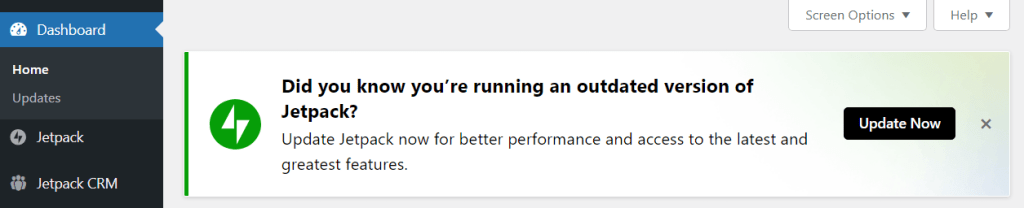
Updating your WordPress site should only take a few minutes. When implementing updates, like new versions of WordPress or plugins, it’s best to do so on a staging site first. This enables you to test the new software and make sure it doesn’t introduce any errors to the WordPress site or the user experience.
2. Opt for a secure hosting provider designed for large websites
Not every web host can provide the same level of service. Moreover, the resources and security features you have access to will vary depending on which type of hosting plan you select.
An enterprise‑level website deserves hosting designed for projects that require top‑of‑the‑line hardware, and that can handle massive amounts of traffic. There are a few web hosts that provide enterprise‑level WordPress hosting, like WordPress VIP.
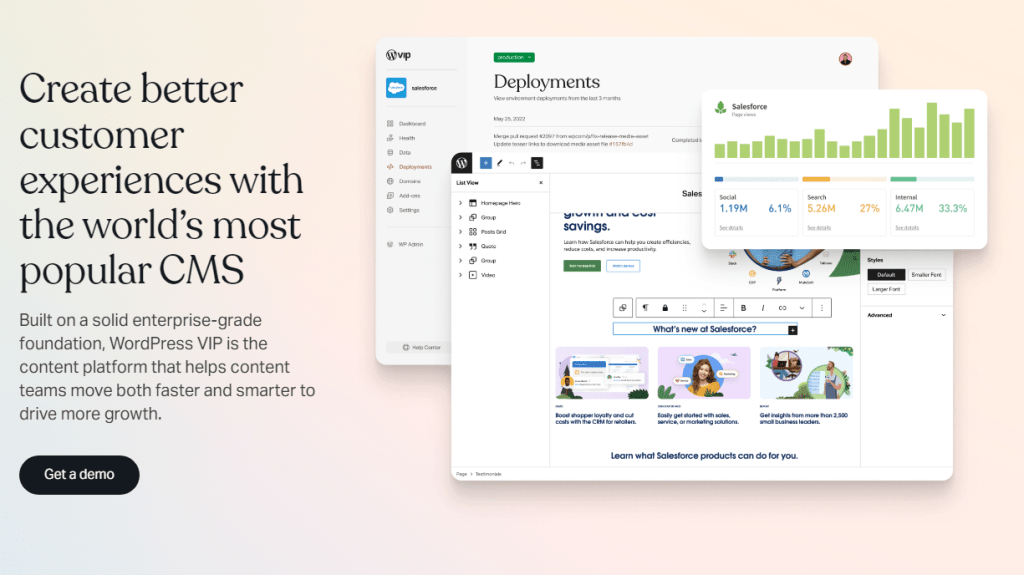
If you’re currently using a web host that doesn’t provide many WordPress security features, it’s time to consider moving to another provider. Migrating a website can be a time‑consuming process, but once you find a secure web host that offers excellent performance, you’ll never want to go back.
When looking for a provider, consider those that offer managed WordPress hosting options. You’ll also want to talk directly with their sales team to discuss your needs, and find out how they can help make the migration process as seamless as possible.
3. Implement role‑based access control
Role‑based access controls means that every member of your team has a specific set of permissions based on the role they fulfill on the website.
The administrator for your WordPress website should be the only member of the team with full permissions. That means they’re the only individual capable of making changes to key aspects of the site’s functionality or its source code.
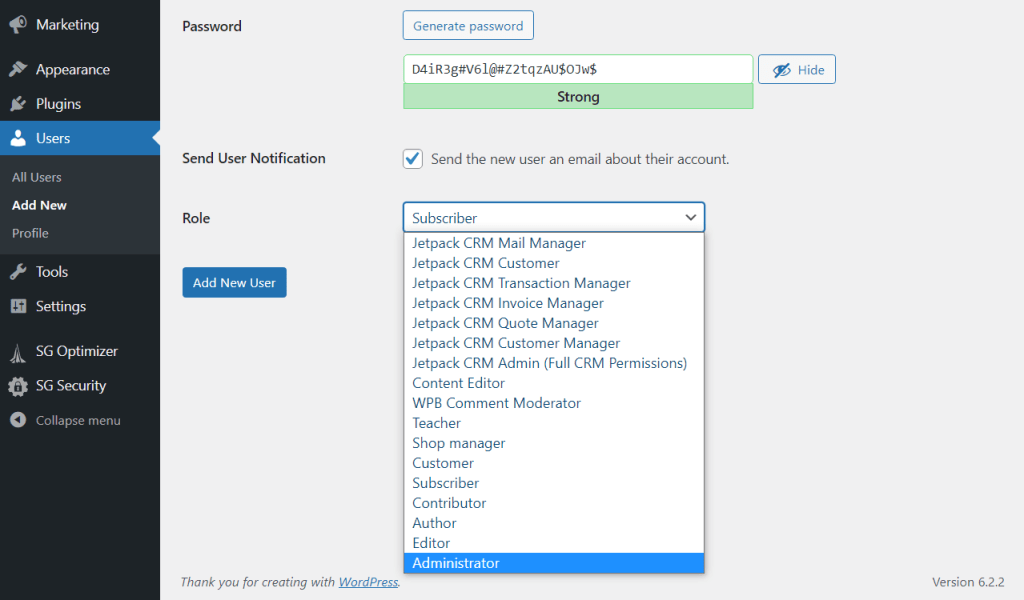
WordPress comes with a role‑based permissions system out of the box. Your organization can leverage this system and make sure that every member is assigned a role that gives them the minimum level of access they require.
This system of minimum permissions will limit the number of people who have access to your site’s critical systems. This approach protects your WordPress website against human error, and makes sure that if credentials are compromised, attackers won’t have enough access to wreak havoc.
4. Enforce strong usernames and passwords
For an enterprise‑level organization, it’s not enough to only suggest that employees use strong usernames and passwords. Educating employees about strong credentials is a great first step. Still, it’s a fact that most people reuse passwords or don’t think much about credentials at all.
One way to circumvent this issue is to generate new user accounts for members of your organization manually. WordPress suggests strong passwords when creating new user accounts, and it warns you if you try to use a weak option.
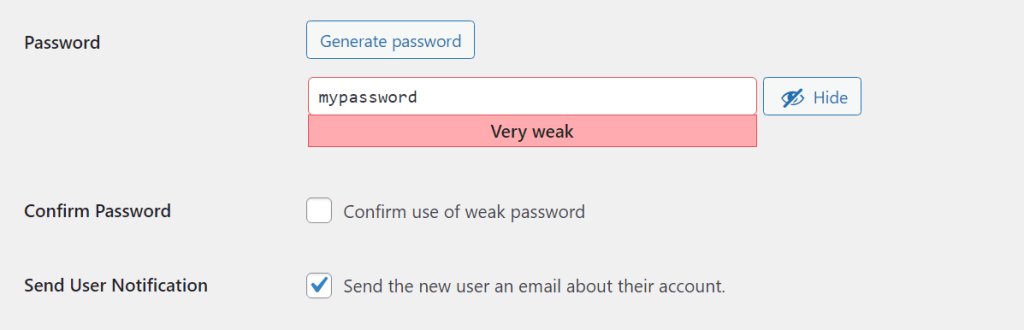
If you enable visitors to sign up on your website, you’ll need to find ways to incentivize them to use strong passwords as well. You can also offer or enforce additional login security methods, like two‑factor authentication (2FA).
It’s important to note that password security doesn’t just extend to your website. Your organization also needs to follow smart security practices for its hosting account, FTP, and SSH access.
Any set of credentials that provides access to any part of your website needs to be strong. If an attacker gets control of your hosting credentials, they can access your site and its data.
5. Use 2FA
2FA offers an additional layer of security for login pages. If you enable 2FA, your site’s WordPress login page will ask users and visitors to enter a one‑time code that can be delivered via an app, SMS, email, or another method.
By implementing 2FA, you protect your website even if attackers gain access to credentials with critical permissions. Unless they also have direct access to the email account or device where the 2FA code is sent, they won’t be able to get inside.
On top of protecting your organization against attacks from leaked credentials, 2FA can also stop bots from trying to brute force their way into your website. Moreover, if you use WordPress websites, 2FA is remarkably simple to implement thanks to plugins like Jetpack Security.
6. Limit login attempts
There are few scenarios when a legitimate user would attempt to log in time after time in quick succession. If you forget your credentials, you might try to guess them a handful of times before resetting them (which WordPress enables you to do). On the other hand, attackers or bots often attempt to brute force their way through the WordPress login page, typically using popular usernames and passwords.
There are several ways to mitigate the risk of this type of brute force attack. Using 2FA is a fantastic start. Limiting login attempts is the logical second step. This way, you can make it nearly impossible for attackers to get into accounts that don’t have 2FA enabled.
Time limitations on login attempts to keep WordPress secure
Typically, websites limit login attempts for a specific period of time. If a user fails to log in after multiple attempts, they won’t be able to get into the site until a timer resets. If this happens to an employee, though, an administrator should be able to grant them access immediately. Fortunately, this is easy to set up using a plugin.
7. Use SFTP for file transfers
SFTP is to FTP as HTTPS is to HTTP. With SFTP, the information your employees send and receive from your website’s server is encrypted. This means it can’t be read even if the connection is intercepted.
Whether you get access to FTP or SFTP typically depends on which web hosting provider you use. Enterprise‑level hosts will default to SFTP to help businesses protect their information and prevent data breaches. If your web host doesn’t support SFTP, your business might benefit from a migration to a different provider.
In practice, SFTP works just the same as FTP. Most popular FTP clients support both protocols. This means your team will be able to use the software they’re most familiar with and avoid having to transition to a new SFTP client.
8. Use SSL to encrypt information
It’s essential to set up a Secure Sockets Layer (SSL) certificate for any website your organization runs. You can obtain a certificate for free, and most web hosts will even set them up for you automatically.
SSL certificates enable your website to encrypt the data that it sends and receives through the HTTPS protocol. This ensures a safer connection to your website, and it’s encouraged by search engines and regulatory agencies.
The different kinds of SSL certificates to help secure your WordPress site
It’s important to understand there are different levels of SSL certificates. Enterprise‑level organizations have more stringent website security requirements, so you’ll need a higher level of SSL certificate.
An “Organization Validation” SSL certificate involves manual vetting by the certificate authority. This type of certificate provides a higher level of security, and is required by certain regulators and industry standards.
9. Install a robust WordPress security plugin
Security plugins are tools that protect your WordPress website by adding defensive measures, which vary based on the WordPress security plugin you use. There are dozens of options, ranging from those geared toward hobbyist websites to those designed for enterprises.
Generally speaking, a comprehensive WordPress security plugin will include features like automatic malware scans, a web application firewall (WAF), built‑in backup functionality, and more. The goal of these plugins is to provide a one‑stop solution, so you don’t have to implement each of those features separately.
Jetpack Security is an example of this type of solution. It includes all the WordPress security features mentioned above, as well as activity logs, spam protection, and one‑click malware removal. The service also integrates with WPScan to power its automatic malware detection tool.
10. Make off‑site backups
A comprehensive backup strategy involves creating regular copies of your WordPress website and its database. This way, you can restore your WordPress site in case of a security breach to avoid prolonged downtime.
One aspect of a strong backup strategy that a lot of organizations ignore is redundancy. Storing backups in multiple, off‑site locations protects them in case your web servers are compromised or go down in any capacity.
Organizations that take security seriously should store multiple copies of each backup in different locations. This ensures a level of redundancy that means you’ll always have access to at least one recent backup, even during catastrophic website security breaches.
11. Remove unused files, themes, and plugins
Plugins and themes are at the core of what makes WordPress such a unique CMS, one that’s versatile enough to power even enterprise‑level projects. One downside of this high level of customizability is that it’s common for websites to end up with a lot of plugin and theme “bloat”.
That means having collections of add‑ons that don’t fulfill a specific purpose or that you only use very periodically. This is a problem because every active plugin or theme represents a potential security vulnerability.
At any time, your website should only have the plugins installed that it actively uses. This is a straightforward practice that ensures your site isn’t vulnerable due to plugins and themes that someone on your team installed years ago and then forgot about (which is all too common).
Someone should periodically sweep your website and review what plugins, themes, and other tools you’re using. Any add‑ons like unused WordPress plugins that don’t fulfill a specific purpose need to be deactivated and uninstalled.
12. Keep your PHP version up to date
PHP is one of the key components necessary for WordPress websites to run on a server. Running old versions is not recommended because they may include security vulnerabilities and are not as well optimized as newer releases.
If you have full control over your website’s hosting environment, you can update to newer PHP versions as they become available. Enterprise‑level WordPress web hosts also update PHP periodically, to ensure that visitors get to enjoy the benefits of the latest versions.
Aside from security advantages, newer versions of PHP also boast measurable increases in performance. In some cases, merely updating PHP has been shown to drastically improve website loading times.
13. Protect against comment and contact form spam
Comment and contact form spam are common security issues for any modern website. If your site includes comment sections, bad actors may try to use them to disseminate links to malware, malicious websites, or your competitors.
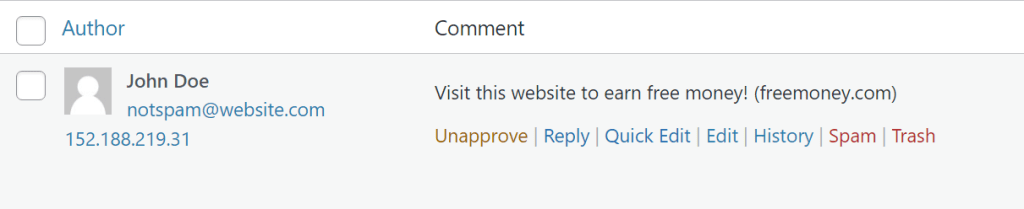
This is a problem that’s easily mitigated with proper moderation. As your site grows, human moderation might not be enough, though. That’s why a lot of enterprise websites choose to implement anti‑spam protection, using a plugin like Akismet.
This type of system automatically filters the majority of spam messages by looking at visitor IPs and the contents of their comments or content form submissions. Human moderators can then deal with the rest of the messages without being slowed down by spam.
Advanced measures for enterprise‑level security
The following advanced WordPress security measures require more work to implement than the options we’ve explored so far. Yet, each of these measures can make your organization demonstrably more secure. Any business that values security will benefit from tasking the right WordPress security team to address these key steps. Again, these are in no particular order.
1. Leverage vulnerability scanning
Scanning your website for vulnerabilities can help you identify and patch threats before they can be exploited by others. Despite their usefulness, though, vulnerability scanners are only as effective as the databases they use. If a database is outdated or doesn’t have experts constantly working on finding new vulnerabilities, any scanner that uses it will fall short of the mark.
WPScan offers the largest database of WordPress site vulnerabilities on the market. It’s an open‑source project that brings in all kinds of WordPress experts to put together a comprehensive list of vulnerabilities in a single database.
Average websites can access that database by using Jetpack Protect or Jetpack Security.
Enterprise deployments can access the WPScan database using the WPScan CLI scanner or the service’s API.
2. Disable file editing
File editing for themes and plugins is disabled automatically in newer versions of WordPress. Instead of getting access to a file editor, you can use the Block Editor to customize themes visually. This is a much safer way to make changes, and prevents bad actors from getting access to sensitive files.
If you’re using an outdated version of WordPress, we recommend updating it to avoid security issues. This will also disable file editing on your site.
Remember, all major changes should be tested on a staging environment before pushing them to your live site.
3. Disable directory listing/browsing
Depending on your web server configuration, visitors might be able to see the full contents of your site’s directories. This happens if the ‑indexes setting is enabled in your site’s .htaccess file, if your site is using an Apache server. In that case, if a user tries to visit a URL like yourwebsite.com/wp‑content/, they’ll see all the files in that directory and be able to access or execute them.
This is a critical security vulnerability for any organization, and it requires immediate patching. You’ll need to connect to your website’s root directory and look for the .htaccess file. Open the file with a text editor and add this code at the end:
Options -IndexesSave your changes to .htaccess and close the file. This will disable directory listing and browsing for your website.
4. Hide /wp‑admin and /wp‑login
By default, the WordPress login and admin pages have predictable URLs. This makes them easy to access, even if you don’t have the necessary credentials to log in. Attackers can exploit this by trying to brute force their way into your website.
An easy way to protect your business is to change those default URLs. This way, only employees will know what the login URLs are. This change is relatively easy to implement with a plugin like WPS Hide Login. Alternatively, you can change the login URL manually by modifying the wp‑login.php file.
5. Prevent WordPress version exposure
By default, WordPress sites display the version of the CMS you’re using if you analyze your site’s source code. This is not apparent to most visitors, but attackers can find this information easily and leverage it to find vulnerabilities in that version of WordPress.
The smart way to sidestep this website security issue is by always using the latest version of WordPress. This means your organization doesn’t need to worry about security exploits in outdated versions of the software.
Popular WordPress security plugins typically include features that will prevent the CMS from disclosing its version in the code. This is the preferred approach, and it also lets you implement further security measures simultaneously.
6. Secure the WordPress REST API
The WordPress REST API enables the CMS to connect with other applications and websites. Developers can use the REST API to add engaging and useful functionality for your site. But if you don’t limit access to the API, attackers can leverage it to pull data from your website.
Access to the REST API should be limited to authenticated users, and they should use strong credentials. An enterprise‑level website needs to treat these credentials with the same level of caution as administrative ones, as they provide a great deal of access to WordPress.
Additional security measures you can take to secure the WordPress REST API include using rate limiting. With proper rate limits, attackers who gain access to the API might not be able to exploit it to its full extent. Combine that with API activity logs, and you’ll be able to stop malicious use of the API in its tracks.
7. Use a web application firewall (WAF)
A web application firewall (WAF) is software that can monitor, filter, and block incoming connections to your website. When you see a WordPress security plugin that claims to be able to block malicious traffic, they’re usually relying on a WAF to do it.
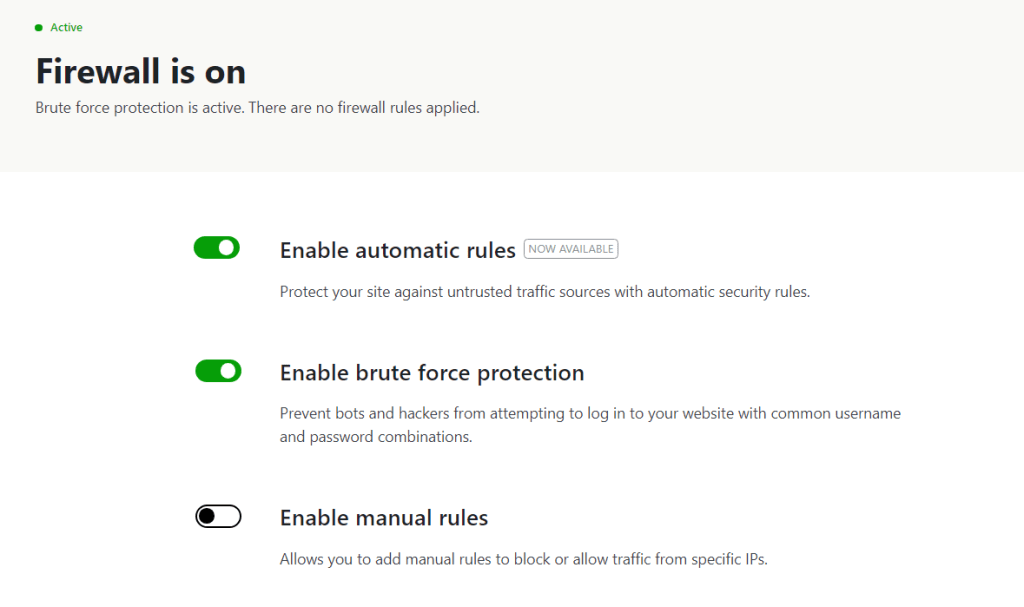
Depending on which type of WAF you use, it may be able to stop blocklisted IPs from accessing your website, as well as prevent attacks like cross‑site scripting (XSS) and SQL injections.
WAFs can be incredibly effective if they leverage up‑to‑date databases of known malicious IPs. This is possible because web security companies monitor malicious activity around the web, and use that information to block future suspicious activity.
8. Use a security information and event management (SIEM) system
A SIEM system is software capable of aggregating relevant data from multiple sources and identifying events that deviate from regular operations. In WordPress, this would be a system capable of collecting information from sources like:
- Security plugins
- Activity logs
- Malware scans
- WAFs
In theory, the SIEM system can act as a data aggregation hub for all of this data, and correlate it to find vulnerabilities that might not be obvious at first analysis. All of this happens through a dashboard, which makes it easy to interact with the system.
Developing and implementing a SIEM system is the natural progression of the security hardening process for enterprise‑level WordPress websites. Once you have all other security measures in place, the SIEM can act as the monitoring center for all security‑related events on your website.
9. Set up a security operations center (SOC)
A security operations center (SOC) is a centralized unit that deals with security issues on an organizational level. A SOC team’s responsibilities can include managing, assessing and defending the IT infrastructure, and responding to security incidents.
This is the type of unit that typically only exists at an enterprise level. Due to the massive amounts of user data and secure information that you handle, it’s necessary to have a team wholly dedicated to security assessments, upkeep, and response.
The structure of your organization’s SOC will depend on the type of website you’re running. The team will be responsible for defining security processes, ensuring compliance with security regulations, conducting regular security audits, and developing an incident response plan in case of breaches.
10. Conduct regular security audits
A security audit is a process that involves checking every aspect of your website’s protective measures to ensure that they’re properly configured and working. At an enterprise level, this means checking your organization’s websites to make sure they’re following all the WordPress security practices we’ve outlined so far.
The goal of an audit is to help you identify problems with your security’s configuration and fix them before attackers can exploit them. Depending on your website’s scope, a security audit can be a time‑intensive process that involves multiple teams. Exhaustive audits can and should be conducted every few months to ensure that there are no issues with your security setup.
11. Monitor user access and activity
A comprehensive security strategy for a website involves leveraging logs to help uncover unauthorized and malicious activity. There are several tools that enable you to monitor and log user activity in WordPress, including the Jetpack VaultPress Backup plugin.
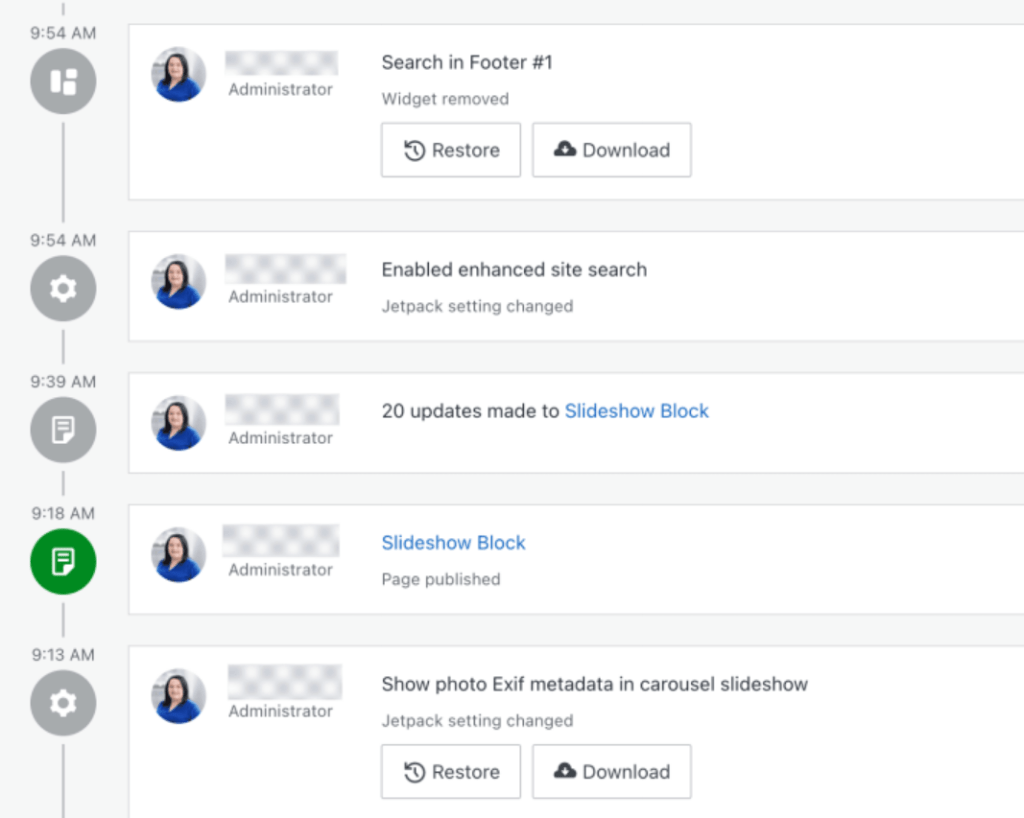
For security purposes, you’ll want to use an activity log that can track events including logins, changes to WordPress, plugin installs and configuration changes, and more. Your organization’s SOC will be in charge of monitoring the log to identify suspicious activity and the users behind it.
This information can help you identify the source of vulnerabilities, determine which roles have too many permissions, and keep an eye on your site’s overall health and security.
12. Train your staff on security best practices
The weakest point in any organization’s online security is the human error factor. Your staff is only as effective as the training that you provide them. This applies even to employees with a technical background, as poor security practices are rife at every level of competency.
If you want your business to be ahead in terms of security, you need to develop training and processes for every aspect of your WordPress security strategy. For WordPress websites, that involves training on proper credential use, how to share information, how to handle sensitive data, and more.
The more thorough you are in terms of training, the less likely you are to run into security issues. Your SOC team should develop these processes and share them so the rest of the team knows what is expected in terms of security.
13. Create a disaster recovery plan
All the planning in the world goes out of the window the minute your organization has to deal with a high‑level security incident. This can be a massive data breach, loss of intellectual property, a malware infection, or a dozen other types of incidents.
Being proactive about your site’s security is only half of the equation. If you want your business to survive the reputational hit and financial repercussions of a major security breach, you need to have a game plan ahead of time.
A disaster recovery plan outlines the steps your organization should take in different security incident scenarios. It’s important to understand that planning for this type of event can be difficult until after you experience it. Still, you can learn from what other organizations have done when faced with incidents like data breaches.
How WPScan can help achieve enterprise‑level security
Regular vulnerability scanning is a key component in any comprehensive security strategy for an online business. This involves scanning your entire website for anything that can pose a security vulnerability.
WPScan maintains the largest database of WordPress vulnerabilities. It works with developers and WordPress experts to identify emerging threats and categorize them. This database is accessible to everyone via an API or CLI scanner.
Frequently asked questions about enterprise‑level security
If you still have any questions left about WordPress security, this section will aim to answer them. Let’s start by talking about which WordPress security measures you should prioritize.
What are some common security vulnerabilities in WordPress sites?
Some of the most common security vulnerabilities for a WordPress site include weak login credentials and outdated components. If you fail to update WordPress or the themes and plugins you use, you leave your WordPress site vulnerable. This is because the older the software is, the more likely it becomes that attackers have found vulnerabilities in its source code.
How often should I update WordPress to ensure security?
Your organization should always use the latest version of WordPress, as well as any themes and plugins installed on your website. For major WordPress releases, we recommend testing them using a staging website. Major releases may sometimes cause compatibility issues, so testing them is a smart security measure.
What are some recommended security plugins for WordPress?
There are several excellent WordPress security plugins. Your choice will depend on your organization’s needs and budget. A lot of security plugins offer free versions, with the option to upgrade to a premium license for access to improved functionality.
For instance, Jetpack Protect enables you to run automatic malware scans on your website for free. The Jetpack Security suite includes Protect as well as other tools, including backup options and spam prevention.
How can I monitor my WordPress site for security threats?
Automatic malware scanning tools can help you monitor your WordPress sites for security threats. Depending on which tool you use, it will monitor for malicious code, plugins and themes with vulnerabilities, and WordPress core files.
Although you can designate workers to run scans manually, automating them is the smart choice for an enterprise business. This automation means you only have to act when the scanner detects a threat.
How can I protect my WordPress site from malware?
Protecting your WordPress website requires your organization to be proactive. That means taking security measures before you run into any vulnerabilities that can lead to data breaches and losses.
Throughout this article, we’ve focused on basic and advanced WordPress security measures. To keep your website secure, it’s important that you implement as many of them as you can. This process can take a while, but it will save your business untold time, and prevent you from having to recover your website and reputation if you encounter security issues.
WPScan: WordPress security solutions for enterprise sites
WordPress website security is essential, no matter how small or large your organization is. Vulnerabilities can lead to hacks and data breaches, which in turn translate to loss of trust from visitors and financial loss. Some businesses have a hard time recovering from breaches, so it’s important to be proactive when it comes to WordPress security.
The smart way to protect your WordPress website is by using security plugins and tools like WPScan. This plugin benefits from the largest database of WordPress website vulnerabilities in the world, and is updated daily thanks to collaboration from experts and developers. Using the WPScan database, you can check your website for vulnerabilities and patch them before they become full‑blown security issues.

 WPScan