If your web security team is responsible for protecting a large number of customers from hackers, you’ll need a robust toolkit to get the job done. But given the sheer variety of security tools on the market, it can be a challenge to sift through all the options and find the perfect fit.
Fortunately, this list of top website security tools for enterprises should make things a little easier. You’ll find vulnerability scanners, firewalls, penetration testers, anti‑spam software, among others.
This post will discuss the main factors to consider when choosing website security software. Then, it will share ten of the best website security tools out there, analyzing their key features, pros, cons, pricing, and more.
Factors to consider when choosing a website security tool
When it comes to choosing software for your enterprise security team, you’ll need to think through the nuances of your customer base, as well as the priorities of your supervisors and other stakeholders.
Here are the most important factors to keep in mind:
Automation
Teams are constantly being asked to do more with less. Protecting the time of your organization’s invaluable human resources should be a major priority.
Security teams have to protect massive amounts of data in any number of different formats stored across a wide span of software.
The security tools you choose should simplify your life — not just add another layer of software and paperwork. Look for tools that can work autonomously.
Compatibility and ease of use
When choosing security software, you’ll want to look for options that can be easily integrated with the tools you’re already using.
Some services, like WPScan, offer an API connection so you can build them into your in-house programs.
Scalability and customization
Successful organizations are always looking to the future — and choosing security tools should be no exception. Make sure you look for options that can easily scale as your company grows. After all, the last thing you want is to have to uproot your team and processes down the line.
Reporting and alert mechanisms
Monitoring and understanding information about your website in real-time is a critical part of effectively protecting it. Quality security tools keep you informed about actions taking place on your site that could indicate hacking attempts — spam submissions, visits from malicious IP addresses, suspicious changes, and more.
And if a hacker does gain access to your site? Well, you want to know right away so that you can respond as quickly as possible to protect your assets, organization, and visitors. Keep an eye out for security tools that offer instant alerts in the manner you find most accessible — push notifications, text, email, etc.
Technical support and community
Finally, consider the support mechanisms you’ll have at your disposal. Will you have a dedicated account manager? Can you easily submit a ticket or chat live with a representative?
The stakes are simply too high to use tools with poor support. Make sure your organization will receive the level of treatment it deserves.
However, not every tool needs to come with a dedicated account rep. An active community, in certain situations, may be plenty to help you navigate any potential issues or learning curves.
Ten website security tools for enterprise‑level protection
Now that you know what to consider before making your selection, here are ten of the best website security tools for enterprise‑level protection.
1. WPScan

Kicking off our list of the best website security tools is WPScan. This is a fantastic option for any enterprise site built with WordPress.
Vulnerability scanning is a crucial part of any website security strategy — even if you’re using a popular, safe CMS like WordPress. Hardening the security of your site can help prevent everything from brute force attacks to data breaches.
The experts at WPScan maintain a comprehensive database of more than 46,000 known plugin and theme vulnerabilities. Organizations can then use this information to identify and patch holes in their security program.
You can integrate the database with existing in‑house systems, or teams can utilize Jetpack Protect for a ready‑made tool that can run automated, comprehensive scans for vulnerabilities and malware and kick back solutions for any problems that are detected.
If you’re interested in a penetration testing tool, WPScan also offers the WPScan CLI scanner. When you leverage this black box tool, you’ll be able to get a sense of what potential hackers see if and when they target your site.
Key features of WPScan:
- Scans that search for known vulnerabilities and security threats
- An up‑to‑date database of 46,000+ vulnerabilities
- A CLI scanner for use in penetration testing
- API integration and custom enterprise solutions
- Instant email alerts
Pros of WPScan:
- It’s easy to use.
- It leverages a robust database of vulnerabilities.
- It’s accessible through a plugin or direct integration with your existing tools.
Cons of WPScan:
- It’s only for WordPress sites.
Ease of use:
You can start utilizing the advantages of WPScan right away. The database can be used on your WordPress site through the Jetpack Protect plugin or integrated with your existing tools through an API connection.
Pricing:
WPScan offers customized enterprise plans as well as options for researchers. You’ll need to get in touch with their friendly team for a custom quote.
2. Invicti

If your enterprise business develops applications in house, Inviciti (formerly Netsparker) may be the ideal security tool for your needs. It enables you to automatically run security tests at every step of the software development life cycle.
This tool allows you to identify everything from outdated software to complex SQL injections and suspicious user behavior. It can even give your development team actionable feedback so they can make their code more secure from the very beginning.
Thanks to its advanced integrations and user permissions, this is a very scalable tool. It comes with unlimited users and pre‑built integrations with tools like Asana, Slack, GitHub, and more.
Key features of Invicti:
- An application scanner that looks for vulnerabilities and security threats
- Integrations with popular software like GitHub, Slack, and Asana
- Enterprise plans that include unlimited users and a web application firewall (WAF)
- Email and SMS alerts configured for specific users, like tech support or admins
Pros of Invicti:
- It uses automation to streamline security scanning.
- It allows you to identify sophisticated security threats like SQL injection attacks.
- The PCI compliance scanner makes it great for ecommerce.
- It’s highly scalable.
Cons of Invicti:
- It’s primarily intended for application security.
- It has a lot of features, so there may be a steeper learning curve.
Ease of use:
Since Invicti leans heavily on automation, it’s relatively easy to use, especially if you’re a seasoned security expert leading a knowledgeable team. But with so many features, there will likely be a learning curve.
Pricing:
You’ll need to request a demo to get a quote for Invicti enterprise plans.
3. Akismet
Spam’s not just annoying, it can present a major threat for your organization, site visitors, and customer base.
Any successful website security audit should cover checks for vulnerabilities through tools like the ones we’ve discussed so far, but it should also provide for protections from spam user registrations, comments, and form submissions.
Your defenses against spam likely have to be balanced with the needs of your marketing department. That’s where a tool like Akismet, which works in the background with 99.99% accuracy, shines. You don’t need to force users to solve a puzzle, complete a CAPTCHA, or even click a button to prove their humanity. This results in a much smoother user flow and an increase in conversions.
Key features of Akismet:
- The ability to work with a variety of CMSs like WordPress, Drupal, Joomla, etc.
- AI spam filtration with 99.99 percent accuracy
- Cloud‑based operations to protect your site performance
- Key integrations with popular WordPress plugins like Jetpack, Gravity Forms, and more
Pros of Akismet:
- It won’t slow down your site.
- It won’t negatively impact the user experience.
Cons of Akismet:
- Akismet is not an all‑in‑one website security tool — its main purpose is to identify and block spam.
Ease of use:
If your team uses WordPress, integrating Akismet will be the quickest thing you do all year — and one of the most impactful! Akismet offers a plugin that can be easily installed, and enterprise customers get access to a custom enterprise dashboard.
Akismet also works with other CMSs like Drupal and Joomla. Setting up and managing the tool on these platforms should be equally straightforward if you already have experience with website security tools.
Pricing:
Plans for small businesses start at less than $10 per month. To get a quote for an enterprise plan, you’ll need to reach out to the team.
4. Datadog
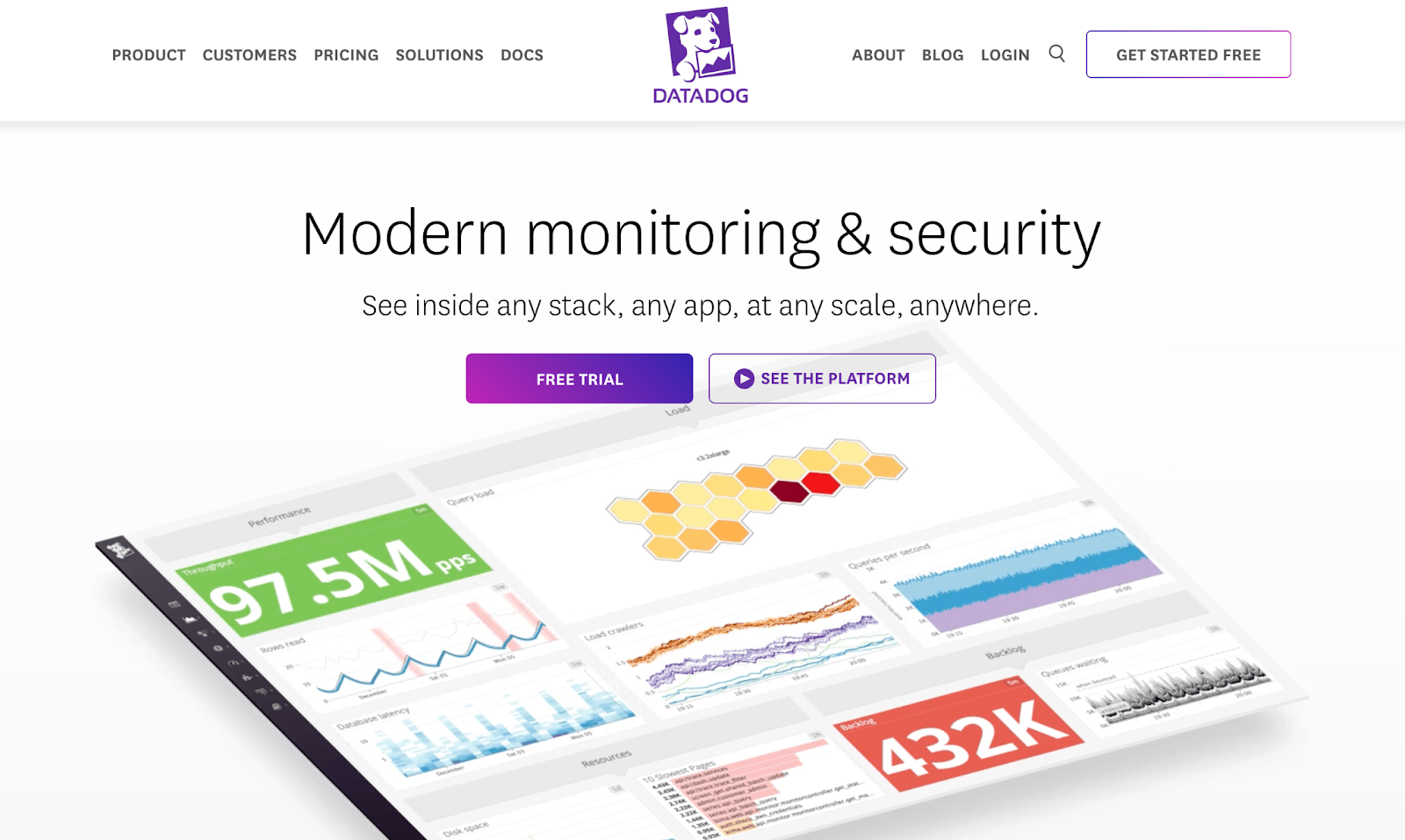
If you’re looking for a robust monitoring and optimization tool that offers à la carte features, you might want to consider Datadog. Available tools range from workflow automations and audit trails to database and real‑time user monitoring.
Datadog offers more than 500 turnkey integrations, including SaaS and cloud providers, automation tools, bug tracking, monitoring, and much more.
Furthermore, Datadog’s dashboards are highly customizable, enabling you to generate advanced graphics based on your metrics. You can even share these visualizations across teams.
Key features of Datadog:
- Advanced monitoring tools for databases, networks, users, and more
- 500+ turnkey integrations
- AI‑powered anomaly detection
- High‑resolution events for manipulation and graphing
- Advanced collaboration tools
Pros of Datadog:
- It’s highly customizable.
- It includes a vast number of security and optimization features.
- It has strong integrations with other tools.
- It’s ideal for large teams.
Cons of Datadog:
- Due to its extensive features and à la carte payment system, it’s best for more experienced security professionals.
Ease of use:
Although Datadog dashboards are highly visual and customizable, they might take some getting used to. What’s more, Datadog requires users to pick and choose different tools from a massive list. So if you don’t know exactly what you want or need, this can be a bit daunting.
The upside of this is the customization potential, though it requires more specialized security expertise.
Pricing:
Datadog doesn’t offer enterprise‑specific plans. It simply offers a long list of features that you can purchase individually. Prices vary, and most are based on specific usage limits.
5. AppTrana
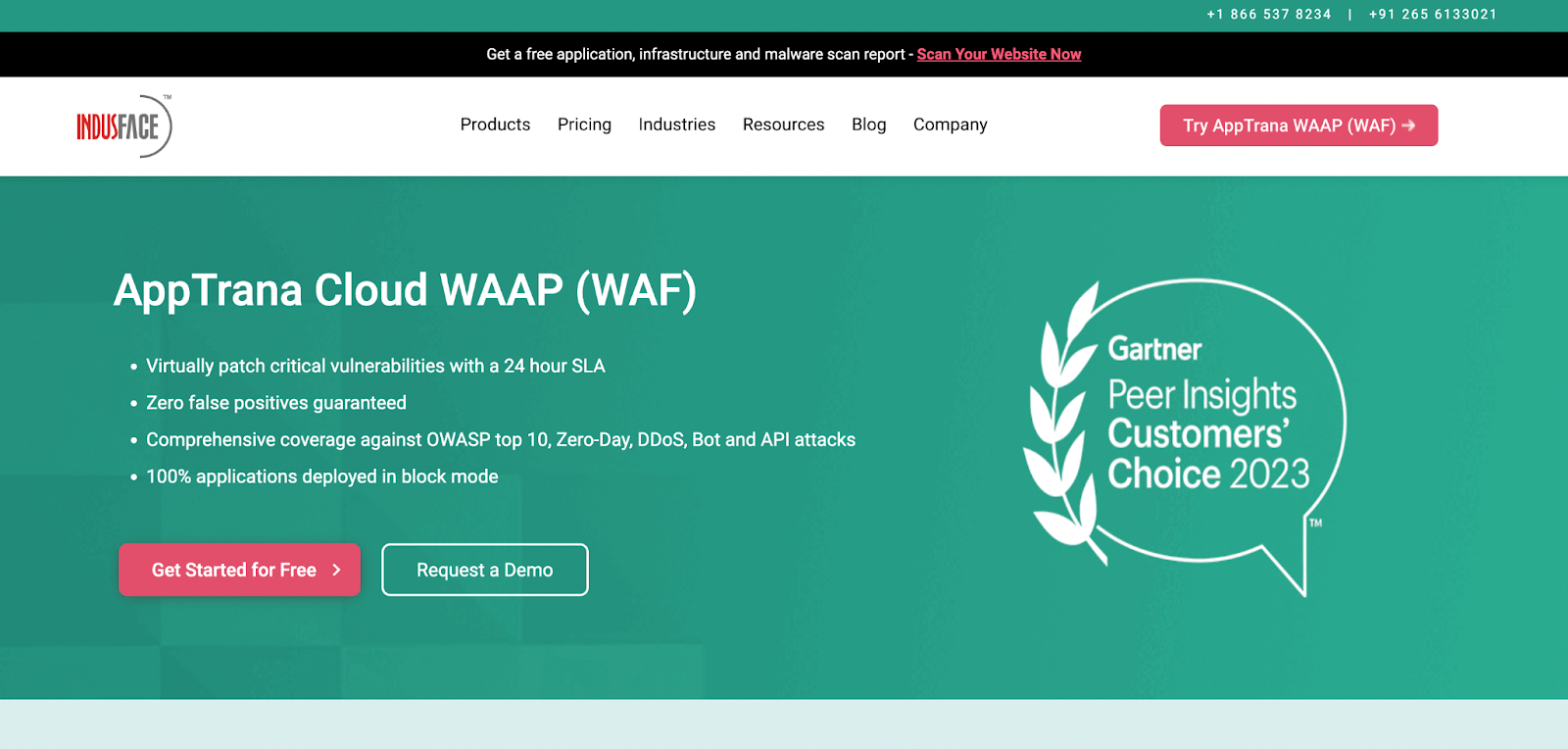
As a veteran web security expert, you likely already understand the importance of web application firewalls (WAFs). They should be an essential item on any website security checklist, since they’re one of your first lines of defense.
But if you don’t already have a firewall implemented on your site, or you’re looking to upgrade, AppTrana is a great option. With AppTrana Cloud WAAP, you’ll get a powerful firewall that protects your website against distributed denial of service (DDoS) attacks, bots, and more.
This solution also comes with a content delivery network (CDN) and 24/7 support. And all enterprise plans include remediation guidance and the option to add manual penetration testing.
Key features of AppTrana:
- A robust web application firewall with comprehensive DDoS protection and bot mitigation
- False positive monitoring
- Unlimited application security scanning (managed)
- PCI-DSS compliance
Pros of AppTrana:
- It offers a user‑friendly dashboard.
- It provides comprehensive coverage with no limits on most scanning and protection features.
- It includes dedicated customer support (enterprise plans get a “named” account manager).
Cons of AppTrana:
- It provides a robust WAF, but lacks other security features.
Ease of use:
The AppTrana dashboard is highly intuitive and user‑friendly. It provides you with color‑coded scan summaries that are easy to interpret, along with plenty of security reports and useful graphs that help you visualize trends.
Pricing:
Basic plans with AppTrana cost between $99 and $399. If you want to explore pricing for a custom enterprise plan, you’ll need to reach out to their sales team.
6. Imperva
Imperva offers a top‑notch WAF solution that protects against DDoS attacks, malicious bots, and other types of threats. It goes beyond just standard website protection, securing your applications, APIs, and more.
Key features of Imperva:
- A web application firewall that protects against DDoS attacks, bots, and other threats
- API security
- Integrations with popular software like Amazon S3 and GitHub
Pros of Imperva:
- It protects against cyberattacks.
- It provides advanced security automation tools.
- It’s highly accurate, with few false positives.
Cons of Imperva:
- Imperva only offers a WAF and API security, lacking other features like a vulnerability scanner and anti‑spam software.
Ease of use:
Unlike more complex website security tools on this list, Imperva offers a highly user‑friendly dashboard. It can provide you with a bird’s‑eye view of your site’s security by visualizing metrics like WAF violations, mitigated bot attacks, DDoS network attacks, and more.
Pricing:
You’ll need to get in touch with Imperva for pricing details.
7. Beagle Security

Beagle Security is another tool that can help you stay ahead of hackers. It’s an excellent choice if you’re looking for a security and compliance tool that has a variety of features in a single package.
One of its primary purposes, however, is for automated penetration testing. You can configure your pentest in as little as a few minutes.
The Beagle Security testing engine uses artificial intelligence to create dynamic, custom tests that rival human pentesters. Once a pentest is complete, your development or security team will get custom recommendations for your tech stack. This will also include the details of the vulnerabilities and exploits.
You’ll even get compliance reports for GDPR, HIPAA, PCI DSS, and more.
While the vulnerabilities database is not nearly as comprehensive as WPScan’s, The Beagle Security pen testing engine provides a different service and isn’t exclusive to WordPress.
Key features of Beagle Security:
- AI‑driven penetration tests
- Comprehensive reporting and contextual results presented on Jira or Azure boards
- Role‑based authorizations and role mapping
- API security
Pros of Beagle Security:
- Automated pen testing enables you to save time and money or supplement your human‑led efforts.
- The detailed compliance reports may reduce your risk of legal issues.
- Advanced user permissions makes collaboration between teams much easier.
Cons of Beagle Security
- Automated penetration testing is unlikely to be as good as tests conducted by human security professionals.
Ease of use:
Due to its wide array of highly advanced features, Beagle Security is intended for developers and/or security engineers. If you fall into either of these categories, you shouldn’t have trouble using it. Still, its contextual and compliance reports make security data digestible for presentations to supervisors or executives with less technical experience.
Pricing:
Beagle Security’s general plans range between $99 and $299. But its enterprise plans have custom pricing. So, you’ll have to reach out to get a quote.
8. Astra Pentest
As the name suggests, Astra Pentest is a popular penetration testing tool, but it also includes vulnerability scanning, business logic security testing, and much more.
When you opt for an enterprise plan, you’ll gain cloud security reviews for platforms like AWS, GCP, and Azure, along with a dedicated account manager.
Key features of Astra Pentest:
- One pentest per year and unlimited vulnerability scans
- Advanced compliance reporting for PCI‑DSS, HIPAA, etc.
- AI‑powered conversational assistance for fixing vulnerabilities
- A cloud security review
Pros of Astra Pentest:
- You get pen testing and vulnerability scanning, blending the expertise of human security engineers with automation tools.
- It provides a publicly verifiable pen test certificate.
Cons of Astra Pentest:
- Enterprise plans are expensive, and you’ll need separate plans for web and mobile apps.
- It includes minimal customization features.
Ease of use:
Astra Pentest offers a straightforward dashboard that allows users to gain full visibility into pen tests, metrics, and more.
Astra Pentest shines when it comes to collaborative features. It enables you to easily manage the status of each vulnerability, assign vulnerabilities to different team members, and create different projects and workspaces.
Pricing:
With Astra Pentest, you’ll need separate plans for mobile and web app testing. For web apps, enterprise plans start at $9,999 per year. Enterprise plans for mobile apps start at $3,999 per year.
9. Hackrate

Next on the list is a different type of website security tool, Hackrate. Instead of offering a streamlined security solution, this platform guides the connection between enterprises and ethical hackers through managed projects.
Hackrate crowdsources ethical hackers to run pen tests, identify bugs, or work on specific private projects. Hackrate also offers managed vulnerability security policy and attack surface management.
Hackrate is an excellent addition to a more extensive security checklist.
Key features of Hackrate:
- Managed bug bounty programs
- Penetration testing as a service
- Managed vulnerability disclosure policy (mVDP)
- Attack surface management
Pros of Hackrate:
- Their ethical hacking programs prepare enterprises for real‑life cyberattacks.
- Hackrate is more cost‑effective than many other enterprise security tools.
- You can connect with a wider variety of vetted, ethical hackers more effectively than on your own.
Cons of Hackrate:
- It’s not as comprehensive as other website security solutions.
Ease of use:
Hackrate offers an easy-to-use platform, but since every project is uniquely staffed by human ethical hackers, individual projects may vary.
Pricing:
Since Hackrate matches enterprises with ethical hackers and pentesters, you’ll need to request a demo to get more information about pricing. Still, since it’s essentially a “crowdsourced” solution, Hackrate advertises itself as a more affordable alternative to other cybersecurity tools.
10. NordLayer

Last but not least, there’s NordLayer. This is a cybersecurity tool with multiple features that nearly every enterprise could benefit from.
It mainly gives you network management and security features, as well as a cloud‑based firewall and authentication tools. NordLayer also enables you to manage threats using shared gateways, a custom DNS, dedicated IPs, and its ThreatBlock feature.
If you’re familiar with the Zero Trust Security principle, but haven’t found a way to implement it successfully across your systems, NordLayer may be the solution you’ve been looking for.
NordLayer integrates with some of the most popular software, including Salesforce, Okta, AWS, Azure, and more.
Key features of NordLayer:
- A cloud‑based firewall
- Custom DNS, dedicated IPs, ThreatBlock, and more
- Network segmentation (user permissions)
- Virtual private gateways
- Server usage analytics
Pros of NordLayer:
- It helps you minimize network threats and integrates relatively easily with existing popular software.
- You can implement zero trust security principles fairly quickly.
Cons of NordLayer:
- It’s not an all‑in‑one solution and mostly focuses on network security.
Ease of use:
NordLayer is designed for big teams who need seamless collaboration. Most security professionals will find it easy to use. Administrators can create a custom dashboard for each member, controlling access to selected content categories and specific apps.
Pricing:
NordLayer’s general plans range between $8 and $14 per user per month. You’ll need to reach out to their sales team for an enterprise‑level quote.
Frequently asked questions
By now, you should have a good sense of what to look for in a website security tool. But let’s answer some common questions, just in case.
What is a website security tool?
There are many types of website security tools. Most of them attempt to analyze data, detect vulnerabilities, and prevent hackers from infiltrating an online business. Some of the most common website security tools include firewalls, vulnerability scanners, and anti‑spam software.
What are the benefits of using a tool for website security?
There are many benefits of using a tool for website security, especially when it comes to online businesses. But it largely comes down to protecting sensitive customer data and website operations.
In practical terms, this type of software can help web security experts more effectively identify vulnerabilities and take actions to patch them.
Additionally, website security tools can mitigate the effects of hacking events after they occur. For example, they may send an alert the instant a breach is detected, therefore enabling security professionals to respond as quickly as possible.
What makes a good website security tool?
This can vary, since website security tools offer different features, like spam blocking, vulnerability scanning, and secure backups. That said, a good website security tool should meet all of your website’s unique needs, integrate easily with pre‑existing software, allow you to scale, and offer high‑quality support.
What types of security tools should I prioritize for a WordPress website?
When it comes to WordPress website security, you should prioritize backup tools, vulnerability scanners, and anti‑spam software. Popular (and high‑quality) options for these respective needs are Jetpack VaultPress Backup, WPScan, and Akismet.
What is WPScan, and what types of websites does it help secure?
WPScan maintains a huge vulnerability database to help security teams quickly identify and resolve threats. It also offers a black box testing tool. WPScan is for enterprise organizations using WordPress.
WPScan’s database can be accessed through an API connection so it integrates with your existing in‑house tools.
The library is also accessible for smaller organizations through Jetpack Protect which utilizes the database and can identify vulnerabilities and malware and provide one-click fixes for the majority of known issues.
WPScan: The leading vulnerability database for WordPress
Every enterprise website has to prioritize online security. In addition to building your team of highly qualified web security experts, you’ll need a robust set of tools to help maximize your team’s efficiency and implement their strategies.
If you use WordPress, and you’re serious about protecting your enterprise site, you’ll need a vulnerability database like WPScan. Through WPScan, you can set up automated scans of your enterprise site, comparing all your software against a database of more than 46,000 known vulnerabilities and security threats.
Ready to enhance your website’s security with enterprise‑level protection? Reach out to WPScan today!
Best website security tools comparison table
| Type of security tool | Platform compatibility | Automation | Scalability | Reporting | Alert notifications | Key integrations | Vendor/community support | Pricing | |
| WPScan | Vulnerability scanner | WordPress | Yes | Yes | Yes | WordPress | Open source community | Custom | |
| Invicti | Application security | Any platform | Yes | Yes | Yes | Email/SMS | GitHub, Slack, Asana, etc. | Tiered support options | Custom |
| Akismet | Anti-spam software | Content management systems | Yes | Yes | Yes | N/A | WordPress and other CMSs | Dedicated support | Custom |
| Datadog | A variety of security tools | Any platform | Yes | Yes | Yes | N/A | 500+ | N/A | Purchase individual tools/features |
| AppTrana | WAF | Any website | Yes | Yes | Yes | Yes | N/A | Dedicated account manager | Custom |
| Imperva | WAF | Any platform | Yes | Yes | Yes | Yes | GitHub, Amazon S3, etc | Tiered customer support depending on your plan | Custom, tiered plans |
| Beagle Security | Pentesting | Any website | Yes | Yes | Yes | N/A | Chat, API, bug tracking, etc | Priority | Custom |
| Astra Pentest | Pentesting | Web or mobile | Yes | Yes | Yes | Yes | CI/CD tools, Slack, Jira, and more | Dedicated account manager | Starting at $9,999 per year |
| Hackrate | Ethical hacking and pentesting | Any type | No | Yes | Yes | N/A | N/A | Community of ethical hackers | Custom |
| NordLayer | WAF and network security | Any type | Yes | Yes | Yes | Yes | Azure, Okta, AWS, Salesforce, etc | Live/email | Custom |

 WPScan