Every organization with an online presence can benefit from using a website security service to help detect and prevent cyberattacks.
There are dozens of security services, from firewalls to backup solutions and incident response teams. Each can play a role in protecting your networks and infrastructure. But how do you choose the right ones for your organization?
In this article, we’ll introduce you to 20 web security solutions. We’ll discuss how they work and when to consider implementing them. We’ll also look at some factors to consider when choosing a website security provider or service and answer some frequently asked questions.
1. Web application vulnerability scanners (WAVS)
Web application vulnerability scanners (WAVS) are tools designed to help identify security issues within web applications. WAVS can automate the process of scanning and analyzing applications to detect potential security threats like SQL injections, cross‑site scripting (XSS), cross‑site request forgery (CSRF), and other common vulnerabilities.
WAVS can be used at different stages of web application development and deployment, but they can be particularly useful in the testing phase. This is because they can help identify and fix security vulnerabilities before the application goes into production.
They can also be used during security audits to ensure compliance with regulations like the Payment Card Industry Data Security Standard (PCI DSS).
If your organization uses WordPress, you can leverage WPScan to find vulnerabilities on your website.
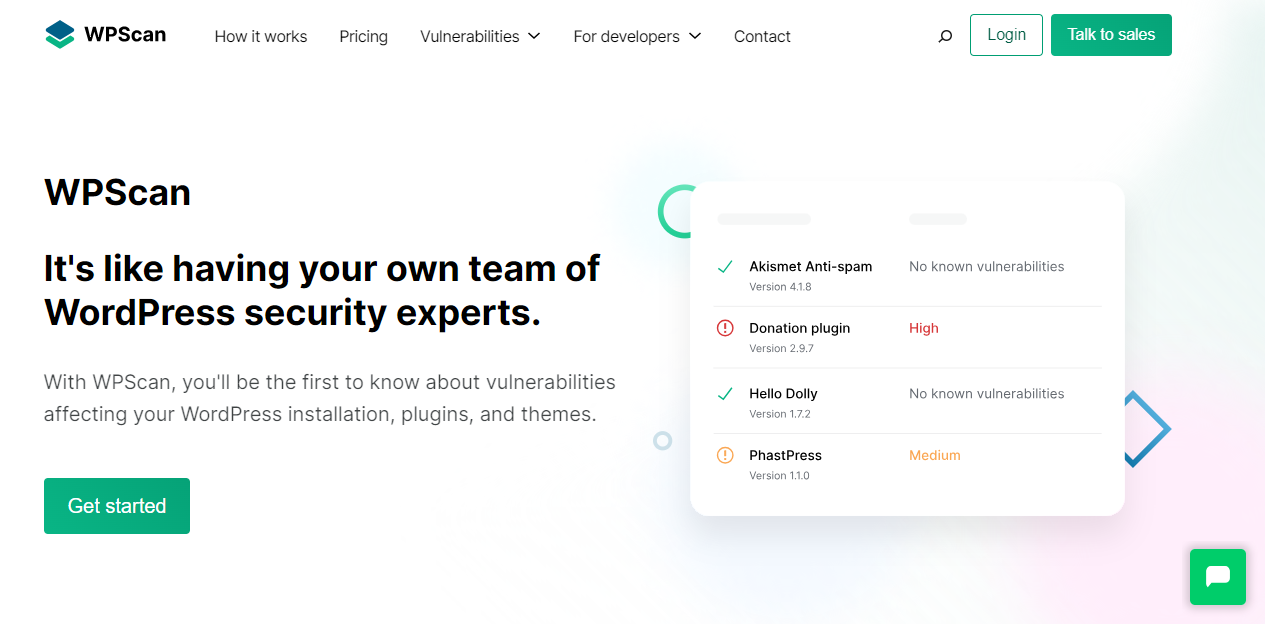
WPScan offers the largest database of known WordPress vulnerabilities. It provides custom enterprise solutions to handle the unique needs of your company.
2. Web application firewalls (WAF)
Web application firewalls (WAFs) are security solutions that protect web applications from various online threats and attacks.
Unlike traditional firewalls, WAFs focus on the application layer of the network and can inspect the content of the traffic that goes through that layer. This means that WAFs can provide a more granular level of control and security.
You can configure WAFs to prevent unauthorized access, filter malicious traffic, and block certain types of requests based on predefined or custom rules. They act as a shield between your web applications and the rest of the internet, ensuring that only legitimate traffic gets through.
If you run an organization with web-facing applications, you can benefit from implementing a WAF. This includes not only large enterprises but also small and medium-sized businesses.
By deploying a WAF, your organization can significantly reduce the risk of security breaches. They also help ensure data integrity and maintain regulatory compliance.
If your organization has a WordPress website, the easiest way to implement a WAF is to use Jetpack Security. This will provide you with access to multiple security services with key features that include a WAF and an automated backup solution (which we’ll discuss in a minute).
3. Intrusion detection and prevention systems (IDPS)
Intrusion detection and prevention systems (IDPS) are software applications that monitor networks and systems for malicious activity. They’re capable of detecting, reporting, and preventing unauthorized access and other security threats in real time.
IDPS are essential components of an enterprise security system. They can be deployed across various points in the network to monitor traffic, detect anomalies, and take action against malicious actors. They provide a layer of protection against various threats like malware, distributed denial of service (DDoS) attacks, and other cyber threats.
Large organizations can benefit from implementing an IDPS to safeguard their network infrastructure and critical assets. The more complex the network, the more important it is to have an automated security system.
4. Security orchestration, automation, and response (SOAR) tools
Security orchestration, automation, and response (SOAR) platforms are solutions that combine various security tools to provide a more efficient and effective security operations center (SOC). They can automate security tasks and repetitive processes, and enable a rapid response to security incidents.
For enterprise-level businesses, employing a SOAR solution is a crucial step in improving security operations. SOAR platforms can integrate with various security tools to collect and aggregate security data. This level of integration helps provide a centralized view for better analysis and decision-making.
These platforms can automate routine tasks, freeing your security team to focus on more complex issues. When a security incident happens, SOAR platforms can help you respond quickly and minimize potential damage.
You might also want to consider implementing a SOAR platform if your company receives a high volume of security alerts, or has a sizable security team. This can provide them with the tools they need to handle security incidents quickly.
5. Security information and event management (SIEM) systems
Security information and event management (SIEM) systems are essential tools for enterprise security. They aggregate, analyze, and log event data in real time from various sources, which provides a centralized view of your organization’s security.
Enterprise‑level businesses with large networks should consider using SIEM to monitor, detect, and respond to security incidents quickly. SIEM can correlate data from multiple sources to identify anomalies or potential security incidents and provide alerts and in‑depth reports.
Additionally, these systems play a crucial role in compliance management. They assist your organization in adhering to various regulatory and industry standards like GDPR, HIPAA, and PCI DSS.
SIEM solutions are valuable assets for organizations of all sizes, but they can be of particular use for large enterprises with complex networks and reporting requirements. SIEM systems enable enterprises to enhance their security monitoring, improve incident detection and response, and comply with regulations.
6. Endpoint detection and response (EDR) solutions
Endpoint detection and response (EDR) solutions are designed to monitor, detect, and respond to security threats at the endpoint level. They provide continuous monitoring and analysis of endpoint data to identify suspicious activities and facilitate rapid responses to security incidents.
By “endpoint” level, we mean the end devices that connect to the network. Enterprise-level businesses can implement EDR solutions to protect network endpoints from various types of cyber threats. EDR solutions monitor activity at the endpoint level, collect and analyze data to detect threats, and provide tools for incident investigation and response.

EDR solutions are suitable for all types of organizations, but especially those with a large number of endpoints and a higher risk of targeted cyberattacks. By leveraging EDR solutions, your enterprise can enhance its ability to detect and respond to threats.
7. Security‑as‑a‑service (SECaaS) providers
Security‑as‑a‑service (SECaaS) is an outsourcing model and option for security management. Typically, SECaaS providers offer cloud‑hosted security services on a subscription basis. These services may include antivirus tools, anti‑malware protection, intrusion detection, and security event management.
If you run a large organization, opting for SECaaS over an in-house security team can have several benefits. For starters, it can help reduce the burden on your employees. This is particularly important for organizations that lack the necessary security expertise or resources.
Additionally, SECaaS often comes with the advantage of predictable costs, scalability, and continuous updates to security measures in response to evolving cyber threats.
SECaaS is appropriate for a wide range of organizations. These include large enterprises that wish to augment their existing security infrastructure, or smaller organizations looking for a comprehensive, outsourced security solution.
SECaaS services are also a smart choice if you want your business to keep up with the latest security technologies without having to make a significant investment in hardware or software licenses.
8. Managed security service providers (MSSP)
Managed security service providers (MSSPs) offer outsourced monitoring and management of security devices and systems. Services provided by MSSPs include managed firewalls, intrusion detection, virtual private networks (VPN) setup and management, vulnerability scanning, antivirus tools, and more.

Enterprises may opt for services from an MSSP to complement their in‑house security teams and technologies. This type of service can help your organization set up tools such as VPNs, even if your team doesn’t have a background in network security.
MSSPs can be particularly useful for large enterprises that have complex infrastructure needs but limited in‑house security expertise. Moreover, they provide around‑the‑clock security monitoring. This is crucial for detecting and responding to security incidents in a timely manner.
9. Automated backup and recovery solutions
Automated backup and recovery solutions are critical components of an organization’s data protection strategy. These solutions automate the process of backing up data and recovering it in the event of loss, corruption, or an incident like a ransomware attack.
Having a reliable website backup and recovery solution is non-negotiable for businesses of any size. It safeguards critical data, ensuring continuity in unexpected data loss scenarios.
Automated backup and recovery solutions are designed to run on predefined schedules. This ensures that backups are created regularly without manual intervention. You can configure backup schedules, so they don’t coincide with operating hours and run the process daily or more frequently, depending on your organization’s needs.
Large enterprises with vast amounts of data distributed across various locations will find backup and recovery solutions indispensable for safeguarding information. The more complex your organization is, the more it can benefit from an automated solution since it will free up your workforce to focus on other tasks.
If you have a WordPress enterprise website, you might use a solution like Jetpack VaultPress Backup. This is a plugin that automates website backups to the cloud. Moreover, all backups are taken in real-time, so every update or change is saved immediately.

VaultPress Backup also has an activity log and a straightforward restoration process that you can access even in the event of a complete site failure.
10. Automated spam protection solutions
Automated spam protection solutions are tools designed to filter out unsolicited and unwanted emails or messages in an organization. If you run a website, an anti‑spam solution can help you protect against spam comments and form submissions.
These solutions use various technologies like machine learning and blocklists to identify and deal with spam. This way, they can protect users from potential phishing attempts and other malicious content.
Once again, this website security service can be particularly beneficial for larger enterprises with a broad user base. Websites that get a lot of traffic need to deal with an avalanche of spam and the risks associated with malicious submissions are higher.
If you have a WordPress website, you might consider using a tool like Akismet.

This plugin uses the latest AI technology to automatically filter spam from comments and form submissions without requiring users to complete CAPTCHAs or other frustrating Turing tests that reduce conversions. Moreover, Akismet works with 99.9% accuracy.
11. Distributed denial of service (DDoS) protection
Distributed denial of service (DDoS) protection solutions are designed to protect networks and applications from attacks that aim to overwhelm and incapacitate them. These solutions can detect abnormal traffic flows and block malicious traffic. This helps ensure that network resources remain available to legitimate users.
Enterprise‑level businesses often find themselves as targets of DDoS attacks due to their high‑profile nature or the critical services they provide. DDoS protection is crucial for maintaining the availability and reliability of an enterprise’s online services.
Any attack that takes down your organization’s website or web‑facing applications, even temporarily, can result in damage to your reputation. Some attackers also employ DDoS to demand costly ransoms from businesses that can’t afford to remain offline.
A robust DDoS protection solution can mitigate the effects of attacks. This will help ensure uninterrupted business operations and preserve the organization’s reputation.
12. Content delivery networks (CDN)
A content delivery network (CDN) is a system of distributed servers that work together to deliver web content to users based on their geographic location. CDNs help reduce the load time of websites, ensuring a better user experience and protecting against traffic surges and DDoS attacks.
For enterprise‑level businesses, using a CDN is crucial for ensuring fast loading times for users across different regions. CDNs enhance the user experience by reducing latency, and they also enable your website to handle traffic spikes during periods of high demand.
Another benefit of CDNs is that they can still provide copies of your site if your server(s) suffer an outage. This is not common among enterprise‑level hosting providers, but if it happens, CDNs can handle all requests until the server is back up.
13. Domain name system (DNS) security
The domain name system (DNS) is a fundamental part of how the web works. It translates human-readable domain names (e.g. yourwebsite.com) into the IP addresses used by network devices.
DNS security refers to measures that protect these systems from various types of attacks. These attacks can include DNS spoofing, cache poisoning, and DDoS among others.
DNS security is paramount to ensuring the integrity and availability of online services. If a DNS is compromised, it can lead to service outages, data breaches, or unauthorized redirection of traffic to malicious sites.
DNS security solutions like DNS security extensions (DNSSEC) or DNS‑based authentication of named entities (DANE) should be considered by organizations of all sizes, especially those with a significant online presence or those in sectors where data integrity and availability are critical.
By employing DNS security measures, your organization can protect its online presence. You can guard against attackers looking to redirect users to fake websites with malicious intent, which can erode trust in your organization.
14. Secure socket layer (SSL) certificates
Secure socket layer (SSL) certificates are digital certificates that enable an encrypted connection between a server and a browser. These certificates ensure that all data passed between them remains private and unmodified.
SSL certificates are essential elements for safeguarding sensitive data like customer information, payment details, and login credentials. They’re a fundamental component of web security and can help your organization comply with data protection regulations.
Additionally, SSL certificates can help in building trust with users as they signal that the communication with the site is secure. Moreover, obtaining and setting up an SSL certificate is not a time‑consuming process and there are no downsides to doing this for any organization.
SSL certificates are indispensable for any business with an online presence, regardless of size.
15. Two‑factor authentication (2FA)
Two‑factor authentication (2FA) is a security measure that requires users to provide two forms of identification before gaining secure access to an account or system. This typically involves something they know (like a password) and something they receive (like an SMS or an email with one‑time codes).

Implementing 2FA is a significant step towards enhancing account security and reducing the risk of unauthorized access to your organization’s systems. It provides an additional layer of security that goes beyond simple username and password authentication, making it considerably more challenging for attackers to gain access to sensitive systems or data.
You’ll find 2FA solutions for businesses of all sizes. Implementing an organization-wide 2FA mandate can be difficult since a lot of users prefer to only use one method of authentication (for quicker access), but it’s a necessary measure against hacking attempts.
This applies particularly to employees with high levels of security access and permissions. Without multifactor authentication, anyone can access an account if they manage to guess or brute force credentials.
16. Security audit services
Security audit services can mitigate risk and involve a systematic and measurable technical assessment of a system or application. This includes examining the security of the system from both a design and implementation perspective, analyzing configurations, and evaluating security policies and procedures.
The goal of a security service audit is to identify vulnerabilities and make sure that the system is compliant with security standards and regulations.
Audits are critical to maintaining a secure network. They provide an independent examination of an organization’s security policies, procedures, and technical assets. This is essential not only for identifying potential vulnerabilities but also for ensuring compliance with regulatory and industry standards like GDPR, HIPAA, and PCI DSS.

Engaging in regular security audits helps enterprises proactively address security issues, ensure compliance, and maintain the trust of customers and stakeholders by demonstrating a commitment to security. This applies even if you have an in-house security team.
Periodical external audits can help you identify weak points in your current security procedures, which makes them well worth the cost for organizations.
17. Penetration testing services
Penetration testing [link to article, when published], often known as pen testing, involves simulated attacks against a system to check for vulnerabilities. Penetration testing services analyze your organization’s security by trying to exploit known vulnerabilities in the network, applications, and other potential weak points.
Businesses can employ penetration testing services to discover and mitigate security vulnerabilities before malicious actors can exploit them. This proactive approach to security is crucial for protecting sensitive information.
In-house security teams might not be trained to perform penetration testing. This makes outsourcing a common option, even among large enterprises.
Pen testing services will employ the latest tactics and even zero-day exploits to gain access to networks. Plus, they can be used with the expertise and knowledge of your in-house security team.
18. Malware removal services
Malware removal services specialize in identifying and eliminating malware from an organization’s network and systems. This includes viruses, worms, Trojans, ransomware, spyware, adware, and other programs that could potentially harm the system or compromise your data.
Malware poses a huge threat to data security, system performance, and overall operational integrity for businesses. Fortunately, malware removal services provide a crucial line of defense against such threats, ensuring that any malicious software is promptly identified and removed.
Any organization can benefit from these services, particularly those without the in-house expertise to deal with sophisticated threats.

This is the kind of service you need to consider before you actually end up needing it. If your network is infected with malware, you must move swiftly, and vetting a new service under these circumstances can be stressful.
19. Incident response services
Incident response services provide specialized support to organizations during and after a cybersecurity incident. These services encompass a range of activities that include identifying, managing, and mitigating security incidents, as well as post‑incident analysis to prevent future occurrences. Their primary goal is to handle the situation in a way that limits damage and reduces recovery time and costs.
Cyber incidents can result in substantial damage to your organization (both in terms of costs and reputation). Incident response services provide the expertise and resources necessary to effectively manage these incidents, ensuring that business operations are restored as quickly as possible.
They also help you understand the nature and root cause of the incidents. This information can enhance the organization’s security posture for the future.
Typically, organizations only start looking into incident response services after a cyberattack. This can be counterproductive, since you have a limited timeframe to investigate and vet services. Your best option is to vet incident response services well before you need them and to find options that can adapt to your organization’s needs.
20. Security awareness training programs
Security awareness training programs are designed to educate employees about the principles of cybersecurity, including the recognition and handling of common threats like phishing, malware, and social engineering attacks. These programs aim to create a security culture within the organization by equipping individuals with the knowledge and skills necessary to recognize and prevent security threats.

Investing in security awareness training is essential, as employees often represent a significant risk factor when it comes to cybersecurity. A single mistake, like falling for a phishing scam, can result in a breach with potentially severe consequences. This is surprisingly common, even in modern businesses with hires who are well‑versed in technology.
Regular training can boost an organization’s overall security by ensuring that all employees are aware of the potential threats they face and the best practices for mitigating them. This investment in educating your team can significantly reduce the likelihood of cyberattacks.
Factors to consider when choosing a website security service
When choosing website security solutions, you’ll want to make sure that it complements the current responsibilities of your in‑house security team. For example, if your team specializes in incident response and security awareness, you’ll need to implement solutions that can handle other tasks so that your employees can focus on these areas.
Likewise, there are website security services that offer solutions that can be carried out without human input. Backups are a good example of this. At the most, your security team should monitor whether the automated backup solution you implement is working properly, and they only need to do this periodically.
There’s little reason why you should dedicate critical resources to tasks that can be fully automated. Instead, you’ll want to entrust your team with security measures that require more attention.
Finally, there’s the cost factor. A lot of the best website security services focused on enterprises can be quite expensive.
Justifying this cost to shareholders could be a challenge. Therefore, you might want to avoid outsourcing every aspect of organizational security and only focus on the most essential solutions. Ideally, these should be areas that are beyond the scope of your team’s knowledge and capabilities.
Frequently asked questions about website security services
In this guide, we looked at the most common and essential website security services for organizations. If you still have some questions about these services and how they can benefit your business, this section will answer them.
What are the best practices for securing a website?
There are dozens of ways in which you can secure a website. These range from choosing a security-conscious web host to implementing 2FA.
Your decision on which security measures to prioritize will depend on your organization’s network and infrastructure. If you’re looking for a good place to start, this security checklist for WordPress websites will guide you through every aspect of protecting your website.
What is the difference between a web application firewall (WAF) and a traditional firewall?
A traditional firewall operates at the network and transport layers, filtering traffic based on IP addresses, ports, and protocols. Meanwhile, a web application firewall (WAF) operates at the application layer, specifically inspecting HTTP/HTTPS traffic to identify and block malicious content like SQL injection or cross-site scripting attacks.
While traditional firewalls serve as a basic gatekeeper to protect the network from unauthorized access, WAFs provide a more sophisticated level of protection against application‑specific vulnerabilities and attacks, which helps ensure the security of web applications.
How often should I perform vulnerability scanning on my website?
Ideally, vulnerability scanning on your website should be automated. This means you can run it as often as you like, although many large websites opt for daily scans.
Your team can use tools like WPScan to improve your vulnerability patching efficiency.
What is WPScan, and who can benefit from its vulnerability database?
Maintained by leading cybersecurity experts, WPScan is a comprehensive, constantly updated database of WordPress security vulnerabilities. Organizations can integrate the database with their existing tools to dramatically enhance their ability to detect and thwart threats.
Website owners can also use the WPScan CLI Scanner to identify what information their site is exposing to the internet and giving up to potential hackers.
For a more comprehensive vulnerability scan, look to Jetpack Protect. This is a ready-made tool that leverages the WPScan database and integrates directly with your site to perform scans from the inside out. It can detect malware and other security vulnerabilities and even suggest one-click fixes to resolve the majority of issues.
Jetpack protect is the ideal WordPress threat detection plugin for any organization without their own in-house tools.

WPScan: The most comprehensive vulnerability database for WordPress
If your organization uses WordPress, WPScan is your ally in identifying threats and vulnerabilities. This service manages the largest database of known WordPress vulnerabilities and receives contributions from the world’s leading security experts, developers, and researchers.
The database and full scans can be accessed through the Jetpack Protect plugin.
However, WPScan also offers custom solutions for enterprises, which include database integration with in‑house tools, instant email alerts, risk analysis, automated scanning, and other options depending on your organization’s needs.
Are you ready to boost security on your enterprise site? Learn more about WPScan and how it can help.

 WPScan